
The Best Planners for Women for 2017
A round up of the best planners for women to use in 2017. Is your favorite on the list? Click to see.
It’s that time of year again...planning time!!! There's something magical about pen and paper. Despite all the electronic calendars and planning tools, I love to pull out my notebook and brain dump then enter everything into my planner. After it's in my planner, I add it to google calendar/fantastical.
This is the time of year where you start preparing for the holidays and planning your profits for next year. This is also the time when you go out and get/order the planner that is going to help you manage your goals and make profits.

Here are the ten best planners for women for 2017! Despite numbering, these are in no order of how amazing they are:
1. Erin Condren Life Planner [$50 - $65] The Erin Condren Life Planner are the Beyonce of the #planneradict world. Let me warn you there is a cult like following with Erin Condren. They take glam planning (stickers and all things pretty) to a new level. You can either go with the 18-month option or the 12 month option. The 2017 versions have a choice of a horizontal, hourly, or vertical weekly layout with choices of a neutral black and white muted palette or bring on the colors palette.
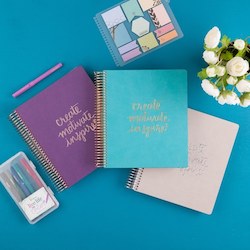

The inspirational quotes throughout the planner are motivating. I love the options for customizing the covers, with the option of changing them out as often as you want. Erin Condren introduced Deluxe planners that are beyond gorgeous with thick motivating covers and two different monthly planners.
You didn’t hear this from me, but the new monthly planners are GAME CHANGERS! You can go minimalist or deluxe, either way, you are going to be able to plan and track efficiently. Click here to save $10
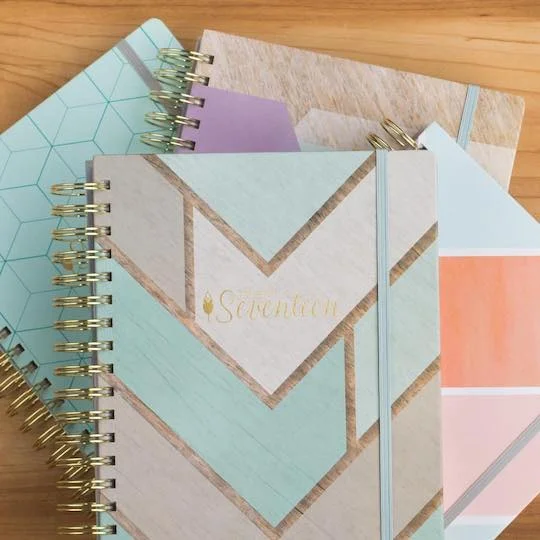
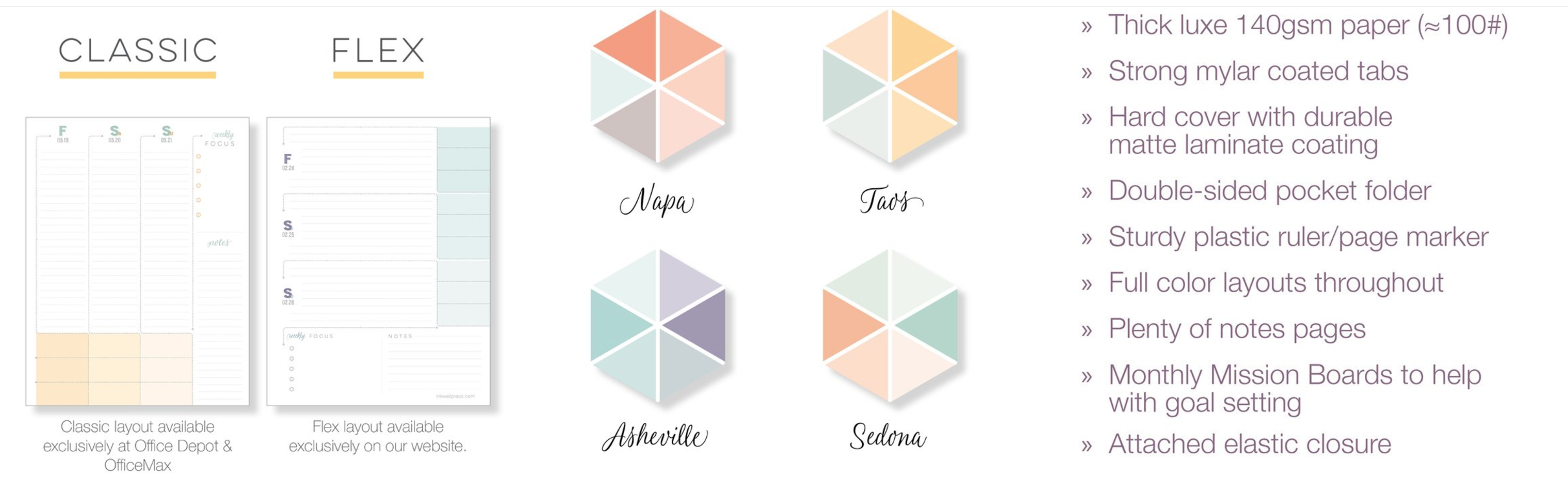
2. Inkwell Press Livewell Planner [$54]: THE planner for women, well at least that’s what the tagline says. The Inkwell Livewell Press Planner has a focus on goal setting and execution. There is a section in the front for planning out your yearly goals and a place for you to reflect on the month you just completed, as well as plan for the next month. *jaw drop* yes girl yes. There are motivational quotes on the mission (planning) boards. It’s very functional in addition to beautiful. The paper quality is unlike any planner on the market, very thick and luxurious. The Inkwell Press Livewell Planner has two options for the weekly layout, depending on your preference. So many amazing features.They offer inserts [$30] for ring bound A5 planners and quarterly planner books [current price not listed - goes on sale 11/10]. Click here to save $10 on Inkwell Press.
3. Daily Greatness Business Planner [$44.95]:

The Daily Greatness Business Planner was designed with today’s #girlboss in mind. It was created by a small business woman, which explains how she knew to include ALL the things you will need to develop and streamline your business goals. There are weekly check-ins, 90 day check-ins, and a yearly check-in to hold you accountable and committed. The Daily Greatness Business Planner is full of inspirational sayings and the pre-face is very encouraging in addition to helping you learn how to develop strategy and goals. It’s undated and includes a social media tracker, finance tracker and budget worksheets. Click here to save 10%
4. Get to Workbook [$55]:The Get to Workbook is a daily planner + goal setting workbook designed to help you make progress on your big goals by taking things one day at a time. Each month has a goal and reflection page. One thing I really love about the Get to Workbook planner is the project planning pages [breaking down big projects to reduce overwhelm] for each month.
5. Simplified Planner [$58]: The Simplified Planner was created to “help women focus on what matters most by building simplicity and joy intentionally into their lives.” The Simplified Planner includes motivational quotes throughouts, an hourly view of your day from 7 am - 7 pm. In addition to you to-do’s for the day.
6. Michaels Recollections Planner [$19.99-$29.99]:

Do you see that cute unicorn? These babies have broken the internets. Why, might you ask? One word...
dupe.
These are a duplicate of the Erin Condren Life Planner. Recollection also created personal ring bound planners which are dupes to Kikki- K and Filofax. [Word on the street is they will be releasing A5 size in December 2016] But you didn't hear that from me.

Now back to these spiral planners, they come in a variety of removable/interchangeable covers, there are two formats: vertical or horizon. Very similar to the Queen B of planners. In addition to 12-month planners, there are fitness, goal setting, pregnancy, wedding and meal planners. The planners can be purchased online or at your local Michaels stores. Download their mobile app for coupons to save a few coins.

7. Happy Planner [$24.99-$34.99]: I see so many rave reviews about the Happy Planner that I had to include it in this years round up. There are soooooo many covers to choose from. It features an arc bound system and is very customizable. You can purchase a full kit or buy individual inserts based on how you like to plan. The best thing that I have seen is that this is sold in local craft stores, so I would recommend waiting for that good ole 50% off coupon from Michaels, JoAnnes or Hobby Lobby. There are two layout options: horizontal and vertical. Additionally, there are three sizes to choose from: mini, classic and big.
8.Start Planner [$60-$68]: The Start Planner AKA Hustle Planner is the planner that has EVERYTHING you would think you need to get organized plus more.

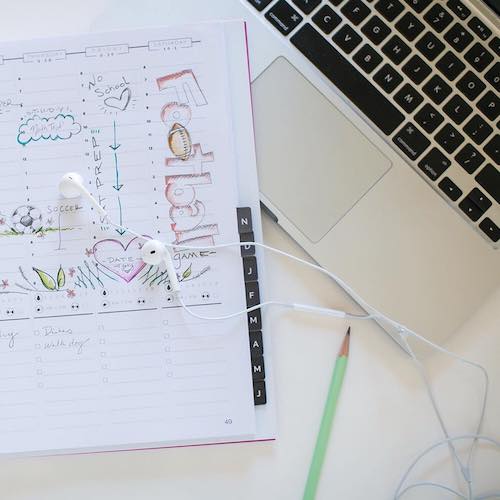
You are able to develop mini goals and big picture goals; while checking in on your health planning, fitness plan, water consumption, and caloric intake. There’s a section for meal planning, grocery lists, food budgets, financial planning and budgeting. In addition to your day to day to do’s. There is also a business edition of this planner which has social media, branding and mileage sections in addition to the awesome features in the other Hustle Planners.
9. Happiness Planner [$59]: The Happiness Planner focuses on happiness and gratitude instead of productivity like most planners. It teaches you to focus on positive thinking, affirmations, mindfulness and self-development. The psychologist in me couldn’t leave this one off the list. The covers are beautiful, yet simple.


There are guided thoughts daily, monthly and yearly reflections, inspirational quotes throughout. The Happiness Planner features a happiness roadmap for you to integrate in your life and create the changes you want to see and pinpoint your focus for each month and day. There’s two 12 month options [June-July. January-December] and a 100 day undated option. The Happiness Planner is journal + Iyanla fix my life + planner goodness. While waiting on The Happiness Planner, download these printables to start 2017 off prosperous.
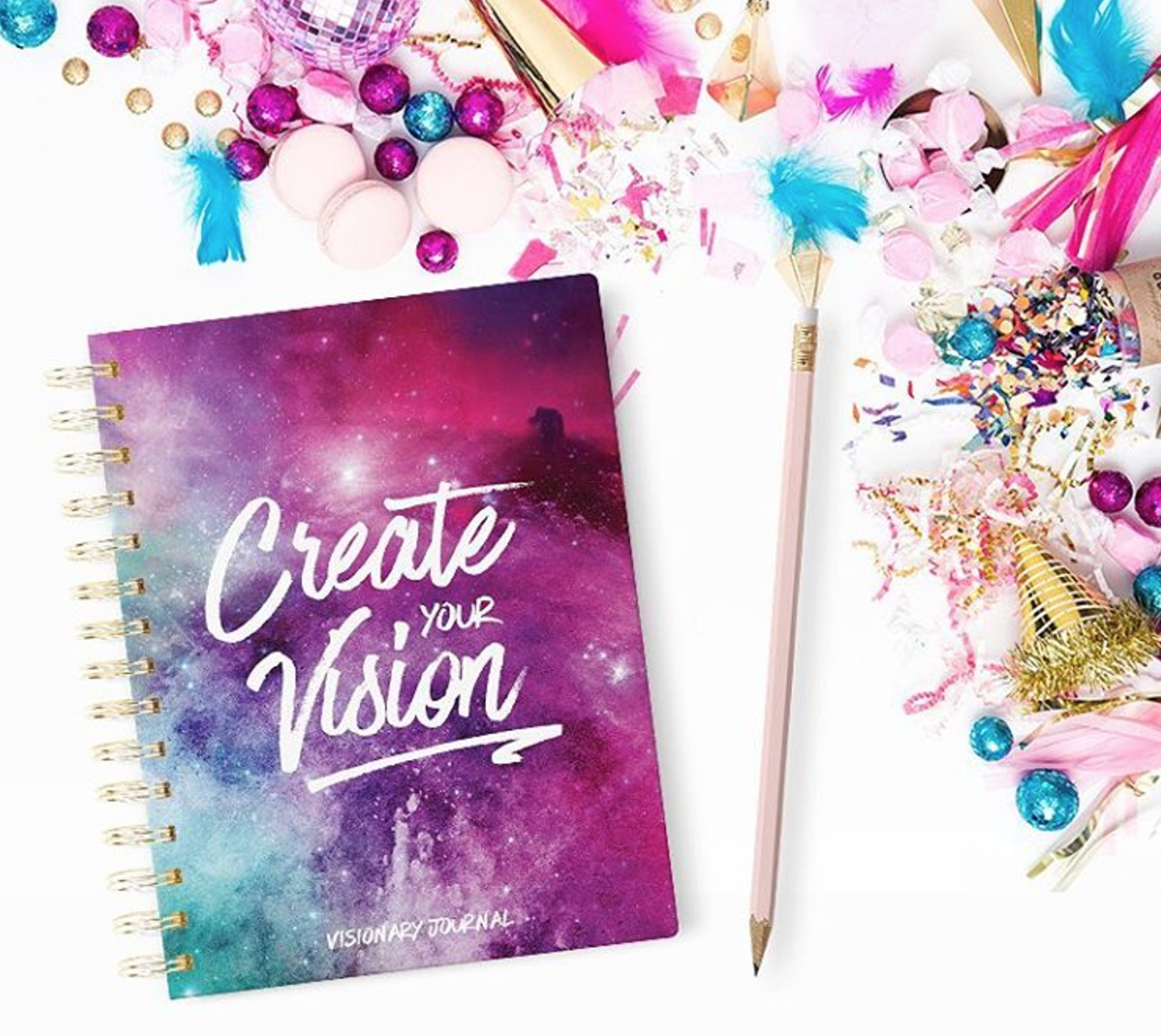
10.Visionary Journal [$55]: The Visionary Journal is a combination of a vision board, task manager and day planner. There is a system that it takes you through to set up your goals and strategize to achieve them throughout the year with monthly breakdowns. I really love the areas for brainstorming, mind mapping, and prompts on why these goals are important for you. Of course, the Visionary Journal has a section for you to create your vision board within the planner. The calendar is not pre-dated, so you are able to begin at any time.
Share these wonderful planners for 2017 with your fave biz besties:

1. Erin Condren Life Planner
2. Inkwell Press Live Well Planner
3. Daily Greatness Business Planner
4. Get to Workbook
5. Simplified Planner
6. Michaels Recollection Spiral Planner
7. Happy Planner
8.Start Planner
9. The Happiness Planner
10. Visionary Journal
May your year be profitable and productive!
XO,
Kimber
P.S. - Here are the best planners for 2016, with a few different planners, check it out!

The Best Planners for Women for 2016
A round up of the best planners for women to use in 2016. Is your favorite on the list? Read to see.
There's something magical about pen and paper. Despite all the electronic calendars and planning tools, I love to pull out my notebook and brain dump then enter everything into my planner. After its in my planner, I add it to google calendar/sunrise.
This is the time of year where you start preparing for the holidays and planning for next year. This is also the time when you go out and get/order the planner that is going to help you manage your goals and make profits.

Here are the ten best planners for women for 2016! Despite numbering, these are in no order of how awesome they are:
1. Erin Condren Life Planner [$50 - $65] I discovered the Erin Condren Life Planner last year this time. Let me warn you there is a cult like following with Erin Condren. They take glam planning (stickers and all things pretty) to a new level. You can either go with the 18 month option or the 12 month option. The 2016 versions have a choice of a horizontal or vertical weekly layout. The inspirational quotes throughout the planner are motivating. I love the options for customizing the covers, with the option of changing them out as often as you want. Click here to save $10

The 10 top planners for entrepreneurs and online business owners. | Via Biz Bestie
This is actually the planner I used this year.
2. Inkwell Press Livewell Planner [$54]: THE planner for women, well at least that’s what the tag line says. The Inkwell Livewell Press Planner has a focus on goal setting and execution. There is a section in the front for planning out your yearly goals and a place for you to reflect on the month you just completed, as well as plan for the next month. *jaw drop* yes girl yes. There are motivational quotes on the mission (planning) boards. It appears very functional in addition to beautiful. The Inkwell Press Livewell Planner has two options for the weekly layout, depending on your preference. So many amazing features. Click here to save $10

3. Ban.do Planner [$20]: These are the cutest planners. They remind me of a cross between Lisa Frank stickers and notebooks in the nineties and a cute Moleskin. Or a trip to your fun aunts house - super girly and amazing...borderline childish but a mature edge. The pages are colorful and full of beautiful fun artwork. Ban.do planners come with stickers [yaaah], funny prompts and inspirational quotes. Ban.do planner features the typical yearly, monthly and weekly views. [SOLD OUT ALMOST EVERYWHERE]

4. Visionary Journal [$55]: The Visionary Journal is a combination of a vision board, task manager and day planner. There is a system that it takes you through to set up your goals and strategize to achieve them throughout the year with monthly breakdowns. I really love the areas for brainstorming, mindmapping and prompts on why these goals are important for you. Of course the Visionary Journal has a section for you to create your vision board within the planner. The calendar is not pre-dated, so you are able to begin at anytime.

5. Get to Workbook [$55]:The Get to Workbook is a daily planner + goal setting workbook designed to help you make progress on your big goals by taking things one day at a time. Each month has a goal and reflection page. One thing I really love about the Get to Workbook planner is the project planning pages [breaking down big projects to reduce overwhelm] for each month.
6. Simplified Planner [$58]: The Simplified Planner was created to “help women focus on what matters most by building simplicity and joy intentionally into their lives.” The Simplified Planner includes motivational quotes throughouts, an hourly view of your day from 7 am - 7 pm. In addition to you to-do’s for the day.
7. Sugar Paper Planners via Target [$6.99 - $19.99]: The Sugar Paper Planners are very affordable and efficient. Beautiful covers and depending on the style of calendar depends on the planning space. The signature planner offers an area each week where you can: set one goal for the week, your top three things that you need to accomplish, a to do list, a list of who to call and email, a list of what to buy and ‘don’t forget’ section to notate something you shouldn’t forget. These are just gorgeous.
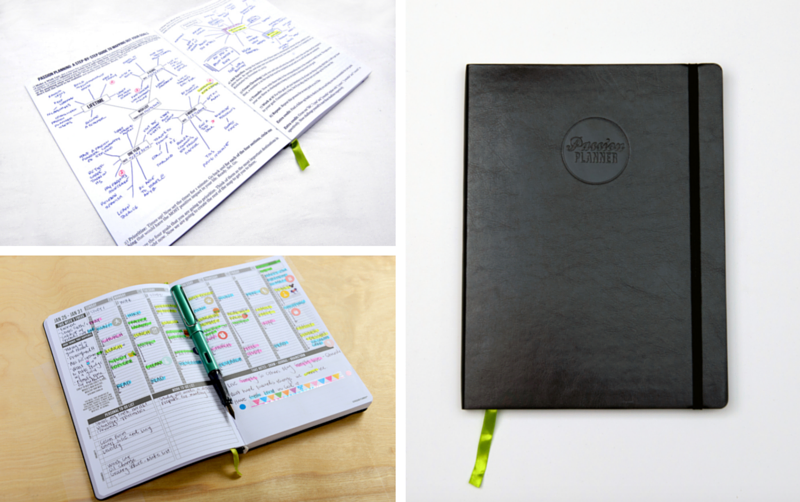
8. Passion Planner [$24.99-$29.99]: The Passion Planner is more than just appointments, but you knew I wouldn’t just add one of those bad boys here, right?!? The passion planner helps you to map out your goals and define a road to achieve them. Each week you write out your focus, and there’s a section to reflect something good that occurred that week. The daily planning pages have time slots per half hour from 6am to 10:30 pm. Under the time columns there is a section for personal and work to do lists on the left page. Whereas on the right page there is a blank area for you to get creative [draw, braindump, mind map, write notes, journal etc.]
9. Lilly Pulitzer Agenda [$28-$36]: The Lilly Pulitzer Agendas are loud and colorful. They remind me of trips to Florida. It comes with stickers and beautiful artwork throughout with various travel and floral themes. Oddly enough there is a section to plan adventures and vacations. What's a year without adventure?
10. Whitney English Day Designer [$49 - $59]: Clean beautiful design meets day design. Day Designer’s tagline, “the original daily agenda for living a well-designed life. It will keep you on course and focused. It's all about living an intentional life. Every single day. “ Doesn’t that empower you to just go out and be amazing? The Day Designer includes daily planning pages with scheduling from 5am to 9pm, daily inspirational quotes, to-do’s, dinner planning, top 3 to-do prompts, notes and more. Very similar to the Simplified Planner. Whitney English has paired up with Blue Sky and has a cheaper option available which you can check out here.

In summary,

Erin Condren
Inkwell Press Livewell Planner
Bando Planner
Visionary Journal
Get to Workbook
Simplified Planner
Sugar Paper Planners via Target
Passion Planner
Lilly Pulitzer
- Whitney English Day Designer
What planner are you planning [pun intended] to use for 2016?
Check out the best planners for 2017 here!


10 Reasons You Need to Use Evernote In Your Business
Are you using Evernote in your business? You definitely should! Here are 10 reasons why!
Evernote used to have a tagline: remember EVERYTHING!
And because of that most people get overwhelmed with Evernote. They aren't really sure what to do or where to put everything.

Here are 10 reasons to use Evernote in your business:
1. You can store EVERYTHING related to your biz in one place. Think of Evernote as your business hub.
[This alone should be the reason you start using Evernote in your business today...but I will proceed.]
2. You can access your business' everything from the cloud via computer, iOS or android device. So whenever you have an amazing idea open up Evernote, wherever you are.
3. Don't feel like typing out thoughts, use the talk to text option...boo yah! Feeling like a girl boss yet?
4. Sign up for a challenge, but don't have time to do it live. Email it to your Evernote and get to it when it's more convenient. Saves space in your email + you can even set up a reminder of when to go and look at the email you forwarded.
5. The Evernote web clipper is exactly what you need when you're ready to steal like an artist or keep up with the Kardashians.
6. Keep track of all the post-it's, business cards, handwritten notes and brain dumping notes that you have lying around your desk, that you can never seem to find, when you need them.
7. You can encrypt text, that you don’t want a “random” person reading.
8. Connect IFTTT to save your favorite things across the web into specific folders automatically. [Even everything you screenshot on your iphone...say what? Yes girl, even screenshots!]
9. Unlike other cloud storage applications, your upload MB resets every month.
10. Communicate and share notes and notebooks with your team, clients and biz besties.
Are you ready to master Evernote for your business? Click here to be notified of when Evernote Mastery goes live. That's right an end to the backend chaos! 8 modules teaching you the ins + outs of Evernote. PLUS swipe files to get you started. Oh my!

Systems Sunday: How to use Google Chrome Extensions
Google Chrome Extensions will change your internet experience...let me show you how. Along with my favorite extensions.

Systems Sunday, I'm sharing with you systems and tools I'm using to automate my biz and (or) my life.
Gigi better known as Google is my best friend which means of course I use Google Chrome as my browser.
The best thing about chrome is extensions. That and Facebook power editor, but we'll talk Facebook ads soon.
Per Gigi extensions simply put are :
- Extra features and functionality that you can easily add to Google Chrome. By using extensions, you can customize Google Chrome with features you like, while keeping your browser free of things that you don't use.
Some of the extensions I have:
What are your favorite extensions?

Trello Gold is FREE yo + a quickie video
Trello Gold allows you to upload more attachments and makes the experience more customized by allowing you to add various picture backgrounds and comment with emojis. Because emojis make life more fun.
App sumo is offering Trello Gold for free.
Trello is one of my freemium (free + premium AKA its free and rocks) tools that's I use to organize my biz.
I use Trello to organize projects and keep up with resources and tools quickly. Trello Gold allows you to upload more attachments and makes the experience more customized by allowing you to add various picture backgrounds and comment with emojis. Because emojis make life more fun.
I recommend Trello to all my visual lady friends. Trello is essentially a virtual white board for post-it notes.
Let's map a project out together real quick:

Set it up, move on, and get clients while you shop!
The number two reason why people never set up systems is because they don’t have time. The irony in that- systems provide more time.

The number one reason why people never set up systems is because they are cool with the chaos.
Today is a new day!
I don’t want you to get caught up in reason one or reason two. Deal? Deal!
Every week if you set aside 30 minutes to set up one system. By the end of the month you would have used two hours total to free yourself an hour each week going forward. So 2 hours can provide you with 52 hours.
Do you really not have time for that type of return on time?
Streamlining your business can be stressful and boring, but so is grocery shopping. Some things we just have to do until we don’t have to do them anymore.

The day grocery delivery is available in my area - I am signing up! Part of automating and systemizing your business is first assessing the things you don’t like to do and don’t do that well. This way you stay in your lane of genius much more.
One thing most chic + savvy solopreneurs don’t like doing is constantly repeating herself:
FREQUENTLY ASKED QUESTIONS (FAQs)
Instead of answering the same questions over and over and OVER again in your email, create a thorough FAQ PDF and send it to your prospects in your welcome auto-responder. If the prospect doesn’t know how amazing you are yet and isn’t on your email list. Create a canned response in your email to send them the FAQ PDF. Do it once and you’re done. It may take you 15-30 minutes to create. However, that’s a one time investment of 15-30 minutes. Don’t want to create a FAQ PDF? Add a FAQ page to your website. Send the prospect your link.
Another thing is worrying about the money:

FINANCIAL
Use Freshbooks to get your financial system organized. Once your account is set up, Freshbooks will do the work for you.
Once a week you should set aside time to review the financial systems in your business. There are many aspects to this system. However, having a service to track and keep it organized is a great start.
Chic + Savvy Solopreneurs have big visions and respect their time. Hence, scheduling is a BIG system.

SCHEDULING
Emailing or messaging on social networks to schedule is a BIG waste of time. You know your schedule better than anyone. Enter into google calendar and sign up for Acuity Scheduling. Acuity links with google calendar and allows you to set your availability for your clients. You can also link your paypal account and have your clients to pay and schedule their sessions at the same time.
I’ll be doing a review of three schedulers next week, so stay tuned, if you haven’t found one that you adore yet.
Once you set these systems up, move on, and go do what you please. Maybe it’s shopping with your bestie mid day on Friday. Or taking a nap before your spa day because you want to be WELL rested before pampering. Or reading to at-risk youth before a lunch date. Whatever you decide, you can do it in peace without checking your email to see if you need to complete a biz process.
Are you ready to organize the chaos in your business? Let me help you automate your biz, maximize your time and profits!
Google Drive

No secret Google and I are pretty close. Hey G! We're besties.
Google Drive is one of my favorite tools.
I didn't start using google drive effectively until this summer. Previously I was just saving pictures randomly and things I bought from Fiverr.
Google Drive from now on will be referred to as “GD” because well it's shorter and this whole post is about Google drive.
Okay, glad we're clear on that.
GD gives you 15GB of storage which doesn’t include the documents, spreadsheets, forms and presentations that you create within GD. Can you say, “SCORE!”
I create folders in GD for everything.
Okay folders...who cares? We do!! Organization is the key to streamlining.
DOCUMENTS
I write all blog posts, site copy, love letters, EVERYTHING in GD. I have a list of hashtags that I use regularly on Instagram. Life saver!!! Especially if you have the GD app on your phone and you’re out and about getting your instagram on.
Now see I used to do these things in Evernote BUT Evernote and Macbook must have a dysfunctional relationship because the Evernote app wouldn't open for weeks and even going to Evernote’s website wouldn't open, but when on a windows computer it would work. All that drama was too much for me. I was tweeting them every other night. I don’t even tweet that often, so they probably flagged me as spam.
GD has a wonderful feature “revision history” that keeps track of the revisions when you make changes to documents created and edited in GD Documents.
GD allows you to share folders and documents with others. Genius! So if you have a collaboration no need to send things back and forth or upload to another program. You can control the settings so if you want to give the other party access to edit or just read. Both of you can edit at the same time also. You can share folders and documents/spreadsheets/forms/etc.
SPREADSHEETS
I love spreadsheets! They help me to stay organized. My editorial calendar process begins in a GD spreadsheet. [I’ll share my editorial process one day, just know it’s truly a process, but it ROCKS] My biz and personal budget are spreadsheets in google drive. Social media & promo tracker are also GD spreadsheets. Same sharing capabilities.
FORMS
You can create surveys and such to query your clients. I created a calendar for my mentoring girls based on a calendar another user created.
If someone emails me an attachment I can save it right from gmail to guess where... GD. I can even be in gmail and access GD to send an attachment.
Google Drive has an extension within the Chrome Browser called Save to Google Drive which is an excellent way to save images, links, and documents from websites.
Google Drive can be used offline.
Google Drive Folder can be added on your computer similar to Dropbox feature.
Here is an awesome reference that I bookmarked with 100 Google Drive hacks.
Are you using Google Drive? Let me know how you’re using it.
Live. Love. Action
Be adventurous and try something new this week.
Create something awesome in Google Drive to share with the world.
Organize your folders in Google Drive if they aren’t already.